Quick Build & Economics Summary
| Component / Spec | Exact Model / Selection | Key Metric / Economics |
|---|---|---|
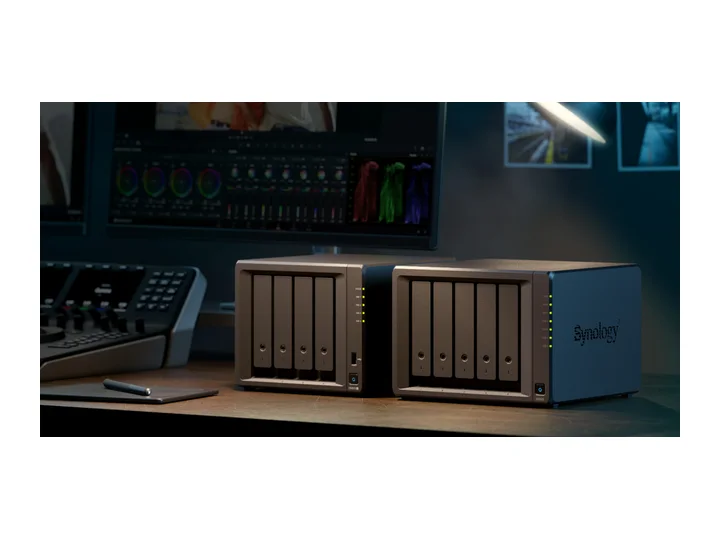
| Recommended NAS | DS925+ (4 Bays · 2 × 2.5GbE) | AMD Ryzen V1500B · 4-core · 4GB RAM |
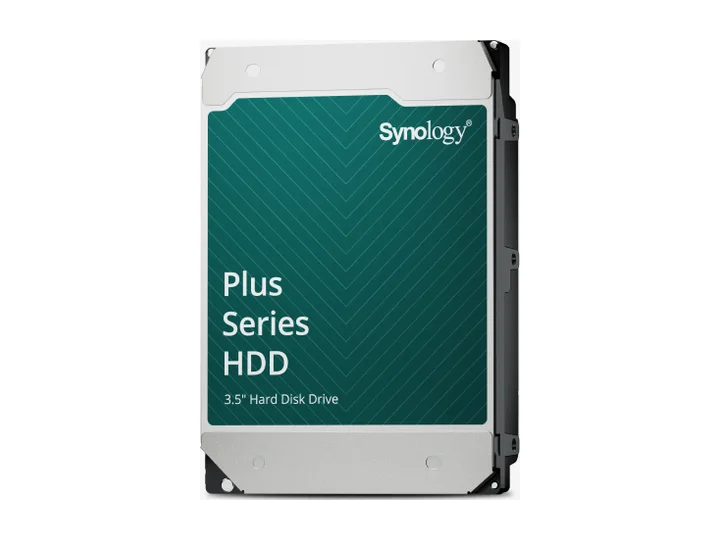
| Selected Hard Drives | 3 × 12TB (HAT3310-12T) | CMR CMR · 7,200 rpm |
| Planning Capacity | 24TB usable | The three-drive pool can continue after one drive fails and leaves one bay open; keep an independent backup of originals. |
| Historical price estimate | DS925+ + 3 × HAT3310-12T: $2,329.96 estimated total | $97.08 / usable TB |
Who this build is for
- Growing RAW/JPEG libraries plus increasing 4K clips
- One or two creators who value photo software over maximum hardware value
- Buyers willing to pay more for an ecosystem-aligned drive path
Why this NAS and tier win
DS925+ has the memory ceiling, ECC, four bays, and network headroom to index and serve a larger library while backup jobs continue. Synology Photos supplies the polished browsing and sharing layer; StorageReview found the timeline responsive, though the application remains distinct from a professional editor. [1][2][3]
The recommendation acknowledges the DS925+ controversy rather than hiding it. The original review criticized drive lock-in and hardware value. DSM 7.3 later restored third-party SATA support, but this build uses Synology Plus drives to reduce support ambiguity, not to claim best street-price value. [4][5][6]
Why these exact drives
Three HAT3310-12T drives provide two drives worth of usable capacity under single parity: about 24TB decimal before overhead. The open fourth bay gives a clear growth path. [6]
The catalog reference price is high, so ecosystem alignment is treated as support convenience rather than a universal value win. Buyers should still compare current exact-MPN prices and warranty eligibility. [4]
Capacity and protection plan
3 equal 12TB drives with 1 drive-equivalent reserved for redundancy produce an editorial planning estimate of 24TB decimal usable before formatting, filesystem metadata, snapshots, applications, and free-space reserve.
The three-drive pool can continue after one drive fails and leaves one bay open; keep an independent backup of originals. Reconfirm the RAID/SHR/RAIDZ behavior for the exact operating system and chosen disk layout before initialization.
What YouTube and community evidence change
Creator workflows favor keeping active catalogs/previews on local SSD, using the NAS for originals and shared archive, and maintaining an off-site copy. This protects editing responsiveness and avoids turning one appliance into every storage tier. [7]
DS925+ review discussion is divided: DSM and mobile clients are praised, while CPU age, networking, and policy history are recurring complaints. The midrange recommendation is therefore a software/workflow choice, not a benchmark crown. [8][4]
Trade-offs before buying
Recommended setup sequence
- 1Keep the Lightroom/Capture One catalog and previews on local SSD.
- 2Import a representative RAW/video subset before the full migration.
- 3Create separate shares for originals, exports, catalogs, and family mobile uploads.
- 4Use snapshots for rapid rollback and Hyper Backup for an independent versioned copy.
- 5Add the fourth drive only when measured growth, backup state, and compatibility evidence support it.
Alternatives worth considering
Frequently asked questions
Why start with three drives in a 4-bay NAS for photo storage?
Three 12TB drives under SHR give you ~24TB usable storage (two drives of capacity plus one drive for redundancy) while keeping one physical bay open for future plug-and-play capacity expansion.
Do I have to use Synology HAT3310 Plus drives in the DS925+?
DSM 7.3 allows third-party SATA drives for storage pools, but exact model, firmware, and vendor support still matter. HAT3310 drives are an ecosystem-aligned option; verify the specific MPN on the current compatibility list before paying a premium.
Can I edit high-resolution RAW and 4K video directly from the NAS?
Keep the active Lightroom Classic catalog and previews on local storage; originals can be on the NAS. The DS925+ has built-in 2.5GbE, but editing performance depends on file bitrate, clients, disks, and other users. Do not assume an SSD cache solves sustained throughput or that this model accepts a 10GbE upgrade. Test a representative project first.
How much usable space do you get from three 12TB drives?
Three 12TB drives provide approximately 24TB decimal usable capacity under single-parity SHR, which formats to around 21.8 TiB of binary storage.
Sources and evidence boundary
This article synthesizes official product facts, independent reviews, YouTube material, and community discussion. YouTube view/like/comment counts are a dated engagement signal, not a quality score. Community posts are anecdotal and cannot establish failure rates. Reviewers may use affiliate links; one publisher’s article and companion video count as one editorial viewpoint.
Synology · accessed Aug 31, 2026. Four bays, Ryzen V1500B, ECC memory, dual 2.5GbE and expansion support.
Synology · accessed Aug 31, 2026. Folder/timeline browsing, non-duplicating albums, sharing, mobile backup and recognition features on supported models.
StorageReview · accessed Aug 31, 2026. Reports responsive timeline browsing and evaluates the integrated photo-management workflow.
Android Central · Apr 23, 2025 · accessed Aug 31, 2026. Finds class-leading software and reliable direct-play media service, but no hardware transcoding and poor hardware value; original drive-policy criticism predates DSM 7.3.
Tom's Hardware · Oct 9, 2025 · accessed Aug 31, 2026. Documents restored third-party 3.5-inch HDD and 2.5-inch SATA SSD use while M.2 pool rules remain tighter.
Synology · accessed Aug 31, 2026. Synology-branded NAS HDD family used to minimize ecosystem support ambiguity.
Reddit r/photography · Jan 26, 2024 · accessed Aug 31, 2026. Working SSD plus NAS archive plus independent off-site disk is a recurring creator workflow.
NASCompares · May 2, 2025 · accessed Aug 31, 2026. Detailed model review; shares an editorial publisher with NASCompares articles and is not counted as an independent second vote.
Engagement at capture: 54,207 views; 1,293 likes; 459 comments at capture.