Quick Build & Economics Summary
| Component / Spec | Exact Model / Selection | Key Metric / Economics |
|---|---|---|
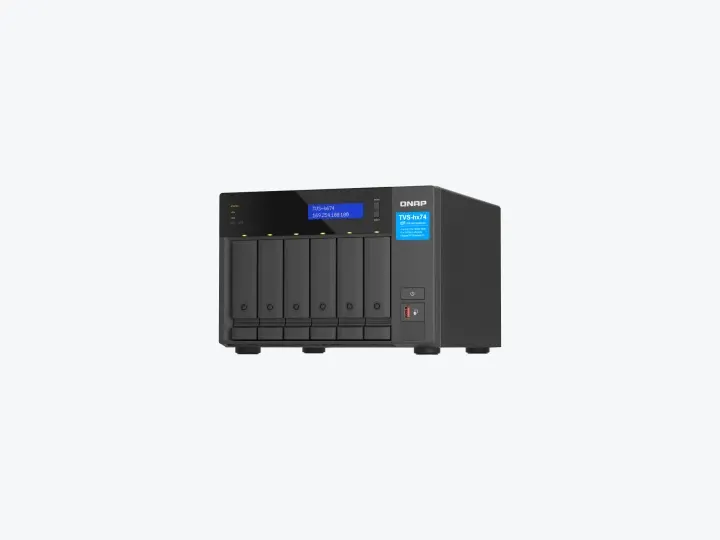
| Recommended NAS | TVS-h674-i5-32G (6 Bays · dual 2.5GbE · dual PCIe) | Core i5 · 32GB RAM |
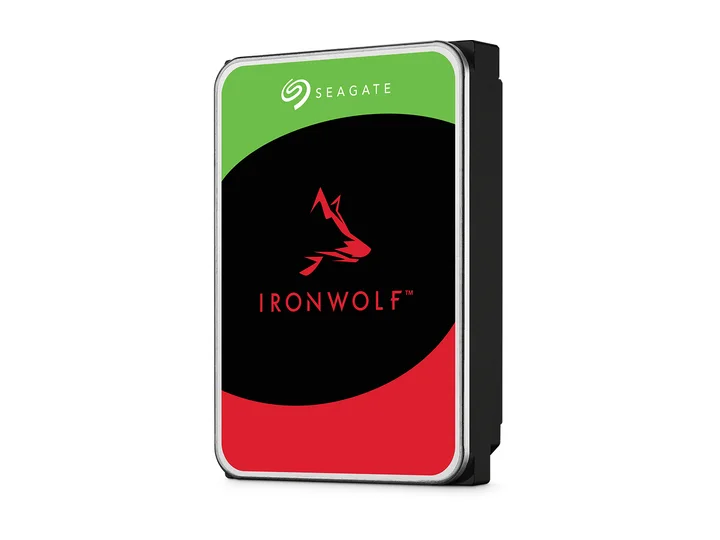
| Selected Hard Drives | 4 × 12TB (ST12000VN0008) | CMR CMR · 7,200 rpm |
| Planning Capacity | 24TB usable | The four-drive layout reserves two drive-equivalents for resilience and leaves two bays open; VM and container backups remain separate. |
| Price estimate — recheck required | TVS-h674-i5-32G + 4 × ST12000VN0008: $3,808.96 estimated total | $158.71 / usable TB |
Who this build is for
- Multiple containers and several ordinary Linux/Windows VMs
- Users who value first-party VM/container tools and ZFS features
- Labs with a dedicated operator, VPN access, UPS, monitoring, and backup
Why this NAS and tier win
TVS-h674 combines six bays, a Core i5 configuration, 32GB memory, dual M.2, dual 2.5GbE, and PCIe expansion. Container Station and Virtualization Station are first-party tools, while QuTS hero supplies ZFS checksums and snapshots. [1][2][3][4]
PCMag praises hardware, apps, and expansion but notes the premium. Gear Seekers reviews the Thunderbolt sibling, not the exact non-T model; it is used only for shared platform/administration context and not as exact-SKU performance proof. [5][6]
Why these exact drives
Four exact 12TB IronWolf drives with two-drive capacity overhead provide about 24TB and leave two bays open. This corrects the earlier research draft’s jump to 64TB without a workload-based capacity argument. [7]
For VM latency, use a supported mirrored M.2 pool rather than pretending more HDD capacity is equivalent. The HDD pool is for bulk datasets, media, backups, and snapshots. [1]
Capacity and protection plan
4 equal 12TB drives with 2 drive-equivalents reserved for redundancy produce an editorial planning estimate of 24TB decimal usable before formatting, filesystem metadata, snapshots, applications, and free-space reserve.
The four-drive layout reserves two drive-equivalents for resilience and leaves two bays open; VM and container backups remain separate. Reconfirm the RAID/SHR/RAIDZ behavior for the exact operating system and chosen disk layout before initialization.
What YouTube and community evidence change
QNAP owner discussions treat TVS-h674 as capable for storage, containers, Home Assistant, and a modest VM set. The same discussions emphasize configuration, updates, and not exposing the administration surface directly. [8]
The platform’s flexibility attracts creators and tinkerers, but flexibility increases operator burden. High-end is justified only when the VM/container stack will be used. [5][8]
Trade-offs before buying
Recommended setup sequence
- 1Define which services must survive NAS reboots and which can move to another host.
- 2Use a protected M.2 pool for active VMs only after checking exact SSD support.
- 3Create a two-drive-overhead HDD layout and keep two bays for later measured growth.
- 4Back up VM images, container volumes, and configuration to a separate target.
- 5Patch promptly, disable UPnP, require MFA, and access administration through VPN.
Alternatives worth considering
Frequently asked questions
Why choose QNAP TVS-h674 over Synology DS925+ for a homelab?
The TVS-h674 features a desktop-class Intel Core i5 processor with integrated UHD graphics, 32GB RAM out of the box, PCIe expansion slots, and native ZFS features (QuTS hero), providing vastly superior virtualization and VM performance.
How many Virtual Machines can the TVS-h674 run concurrently?
Size from the CPU, memory, and storage requirements of each VM, leaving resources for the NAS and backups. A lightly used Linux VM is very different from an active Windows desktop or database. We have not tested a fixed concurrent-VM count for this build.
Why leave two empty drive bays in a 6-bay chassis?
Four 12TB drives under dual parity provide 24TB decimal capacity and avoid paying for unused disks. Before relying on the spare bays, verify the expansion procedure supported by the installed QuTS hero version and existing pool layout. Growth is not necessarily an automatic operation.
What security precautions are recommended for QNAP QuTS hero?
Never expose QNAP administration ports directly to the public internet. Use Tailscale/WireGuard VPN, enable two-factor authentication (2FA), disable default admin accounts, and keep automated snapshots enabled.
Sources and evidence boundary
This article synthesizes official product facts, independent reviews, YouTube material, and community discussion. YouTube view/like/comment counts are a dated engagement signal, not a quality score. Community posts are anecdotal and cannot establish failure rates. Reviewers may use affiliate links; one publisher’s article and companion video count as one editorial viewpoint.
QNAP · accessed Aug 31, 2026. Six bays, 12th-generation Intel Core options, dual M.2 and PCIe expansion for QuTS hero workloads.
QNAP · accessed Aug 31, 2026. First-party container management for Docker-class application workloads.
QNAP · accessed Aug 31, 2026. First-party virtual-machine management for supported QNAP systems.
QNAP · accessed Aug 31, 2026. ZFS-based storage, checksums, snapshots, compression and RAID features.
PCMag · Aug 23, 2023 · accessed Aug 31, 2026. Praises powerful hardware, application selection and expansion while emphasizing premium price.
Gear Seekers · Nov 27, 2023 · accessed Aug 31, 2026. Creator-focused setup, Thunderbolt storage, networking, apps, limitations and target-user walkthrough.
Engagement at capture: 11,608 views; 393 likes; 52 comments at capture.
Seagate · accessed Aug 31, 2026. NAS-oriented CMR family; exact 4TB and 12TB MPN facts are stored in the ChooseCompute catalog.
Reddit r/qnap · accessed Aug 31, 2026. Owner discussion treats TVS-h674 as capable for storage, containers and a modest VM set while emphasizing configuration and update discipline.