Skip to content
All scenarios

Best Homelab & Docker NAS (2026)

Prioritize expandable memory, processor headroom, Docker/VM support, and safe separation between homelab services and irreplaceable data.

Updated 2026-09-07 · Editorial recommendations based on researched specifications, observed pricing, and exact CMR drive validation.

Direct Answer & 2026 Selection Verdict
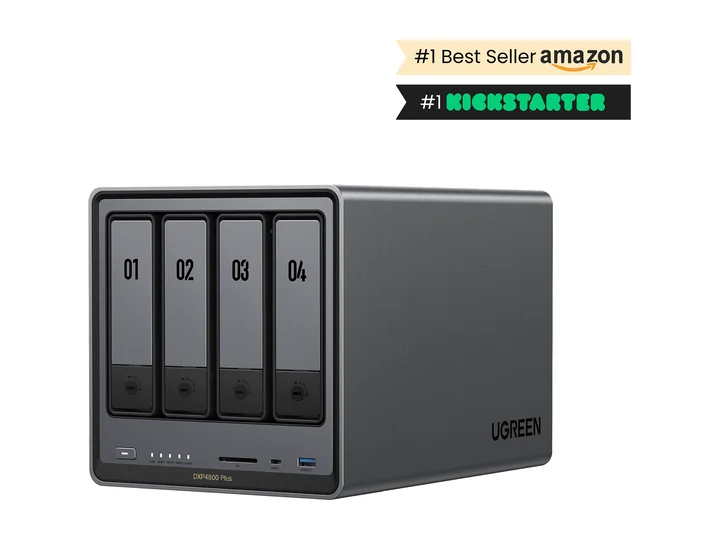
Best Overall Choice

NASync DXP4800 Plus + 4 × 4TB (12TB usable)

10GbE, expandable memory, M.2 slots, and 12TB usable deliver better lab value than overspending on HDD capacity.

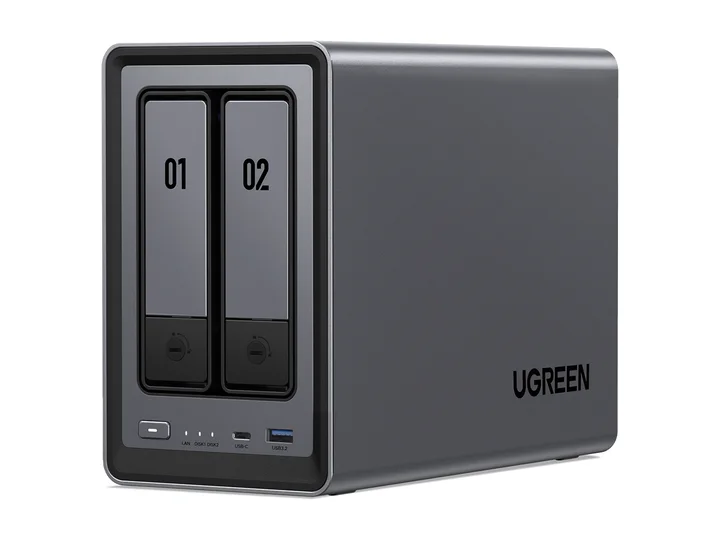
Best Value / Budget

NASync DXP2800 + 2 × 4TB (4TB usable)

The same Intel two-bay hardware favored for Plex is an unusually capable entry container host with a simple mirrored data pool.

TierRecommended BuildDrive ConfigurationUsable SpaceEst. Total PriceDeep Guide
EntryNASync DXP2800NASync DXP2800 + 2 × ST4000VN006 (4TB CMR)4TB (RAID 1-style single-drive redundancy)$769.97Read guide →
MidrangeNASync DXP4800 PlusNASync DXP4800 Plus + 4 × ST4000VN006 (4TB CMR)12TB (RAID 5-style single-drive redundancy)$1,379.95Read guide →
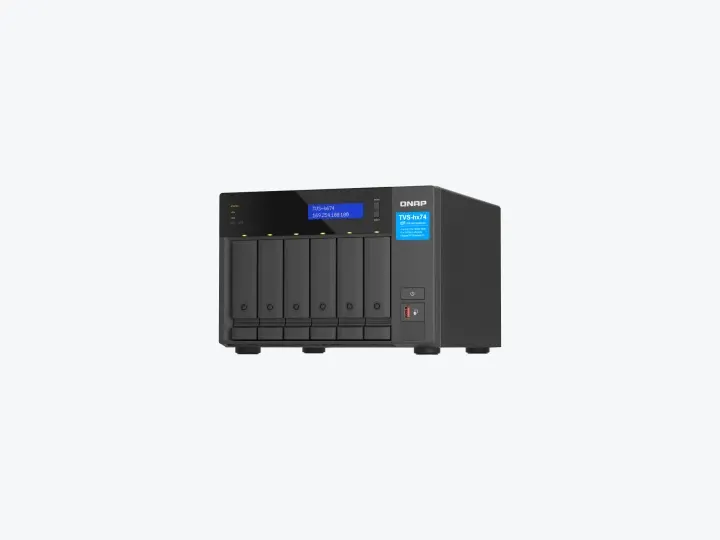
High-endTVS-h674-i5-32GTVS-h674-i5-32G + 4 × ST12000VN0008 (12TB CMR)24TB (QuTS hero RAID-Z2 (dual parity))$3,808.96Read guide →

Explore Tiers & Components

Selection rules

  1. 1Prefer expandable or generous memory before chasing benchmark peaks.
  2. 2Use SSD or M.2 storage for application data only when the platform supports it cleanly.
  3. 3Separate experimental services from the only copy of important files.

Common mistakes

  • Running too many services on entry memory
  • Exposing management interfaces directly to the internet
  • Skipping backups of container volumes

Frequently Asked Questions

Which prebuilt NAS provides the best compute performance for Docker containers?

The DXP2800 is an entry option for a few light services; the DXP4800 Plus adds memory and networking headroom; the TVS-h674 is for larger, measured workloads. These are hardware buying choices, not a list of applications to install. Write down each service’s memory, CPU architecture, storage, and recovery needs before choosing a tier.

Can I install TrueNAS Scale or Proxmox on commercial NAS hardware like UGREEN?

Yes. UGREEN NASync units feature an unlocked x86 UEFI BIOS and dual M.2 NVMe slots, allowing users to boot TrueNAS Scale, Unraid, or Proxmox VE from an SSD while utilizing the 3.5-inch drive bays for standard ZFS storage pools.

How much RAM do I need for Home Assistant, Arr-stack, and Nextcloud?

Start with the requirements for each application and leave memory for the NAS operating system, file cache, and backup jobs. An 8GB system may fit several light services, while databases and VMs can need much more. Container count alone is a poor sizing rule. Measure a trial stack and confirm the exact model’s supported memory limit before ordering an upgrade.

Synology Container Manager vs. QNAP Container Station vs. Portainer: Which is better?

Synology Container Manager is the cleanest for Docker Compose beginners. QNAP Container Station supports LXC, Docker, and full virtualization (VMs). Advanced homelab users often run Portainer or Dockge across any NAS platform for unified multi-host management and webhooks.

Should I create dedicated SSD storage pools for Docker container appdata?

A supported SSD pool can reduce latency for databases and application files. Check whether the NAS permits an M.2 storage pool or only caching, and back up application data and database exports independently. SSD placement does not guarantee HDD hibernation: logs, system tasks, and other services can keep disks active.

Need the decision logic first?

Read the comprehensive buying guide and hardware architecture analysis before choosing a tier.

Read the guide