Quick Build & Economics Summary
| Component / Spec | Exact Model / Selection | Key Metric / Economics |
|---|---|---|
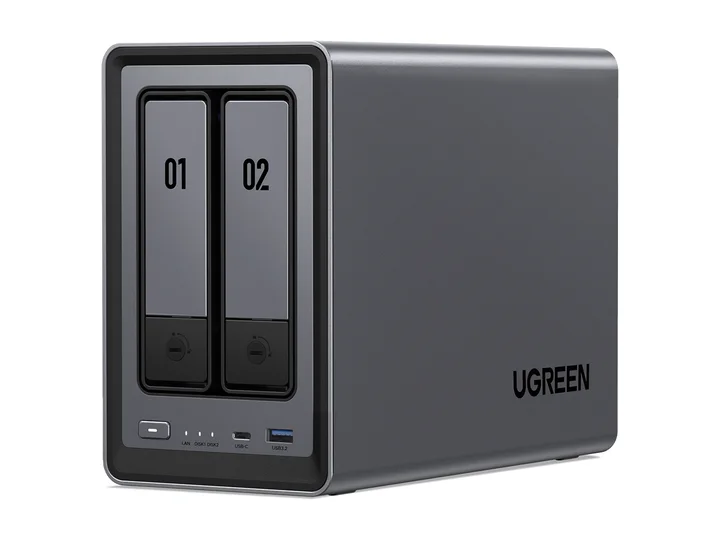
| Recommended NAS | NASync DXP2800 (2 Bays · 1 × 2.5GbE) | Intel N100 · 4-core · 8GB RAM |
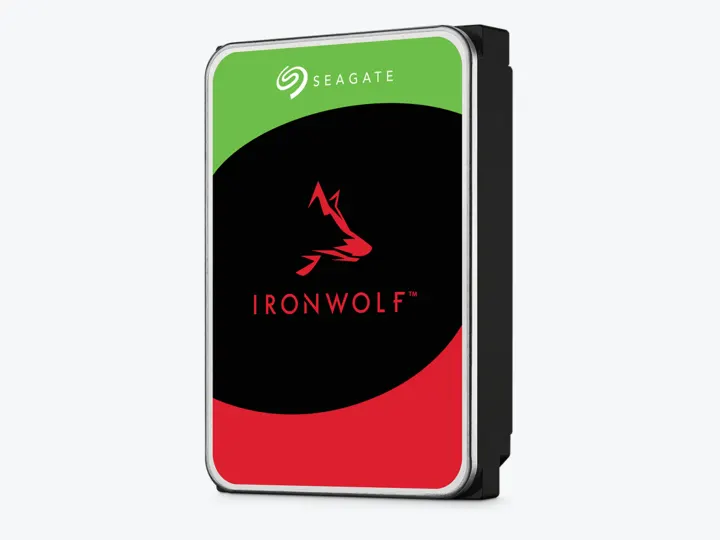
| Selected Hard Drives | 2 × 4TB (ST4000VN006) | CMR CMR · 5,400 rpm |
| Planning Capacity | 4TB usable | The mirror can continue after one drive fails; back up irreplaceable media metadata and personal files elsewhere. |
| Historical price estimate | NASync DXP2800 + 2 × ST4000VN006: $769.97 estimated total | $192.49 / usable TB |
Who this build is for
- Several light x86 containers and one household
- Users willing to learn Docker backups and service recovery
- Labs where 4TB bulk storage is enough and active app data can use supported SSD storage
Why this NAS and tier win
DXP2800’s Intel N100, 8GB DDR5, M.2 slots, and 2.5GbE provide a better container baseline than cheap ARM NAS models. Android Central evaluates the hardware favorably while treating UGOS maturity as the compromise. [1][2]
A large owner-review audience corroborates real self-hosting interest and states the unit was purchased rather than sponsored. Another two-month perspective adds duration, though both remain individual experiences rather than reliability statistics. [3][4]
Why these exact drives
Two 4TB IronWolf CMR drives create a simple 4TB mirror for documents, backups, media, and container-volume snapshots. Spend entry budget on memory and recoverability rather than oversized disks. [5]
M.2 can improve application latency only when the platform supports the intended pool/layout. It should not become an unprotected single copy of container state. [1]
Capacity and protection plan
2 equal 4TB drives with 1 drive-equivalent reserved for redundancy produce an editorial planning estimate of 4TB decimal usable before formatting, filesystem metadata, snapshots, applications, and free-space reserve.
The mirror can continue after one drive fails; back up irreplaceable media metadata and personal files elsewhere. Reconfirm the RAID/SHR/RAIDZ behavior for the exact operating system and chosen disk layout before initialization.
What YouTube and community evidence change
UGREEN community discussions report DXP2800 use for Plex, Home Assistant, and containers. They also surface the operational reality: updates, app availability, and recovery remain the owner’s responsibility. [6]
The owner-review consensus supports hardware value and self-hosting flexibility, but not a claim that UGOS has the same maintenance history as Synology or QNAP. [3][2]
Trade-offs before buying
Recommended setup sequence
- 1List CPU, memory, architecture, port, and persistence needs for every container.
- 2Keep compose files and secrets in a versioned, protected repository.
- 3Back up container volumes to the HDD mirror and then to another destination.
- 4Use VPN rather than exposing the NAS administration interface.
- 5Document how core services restart if the NAS is offline.
Alternatives worth considering
Frequently asked questions
Can the UGREEN DXP2800 run Home Assistant and Pi-hole 24/7?
Yes. The Intel N100 and 8GB DDR5 provide ample performance and low idle power consumption (typically 15-25W), making it an efficient 24/7 host for Home Assistant OS (via VM) and containerized network utilities.
Should I keep Docker container data on M.2 SSD or HDD?
Always place container configuration folders, SQLite databases, and app volumes on a supported M.2 NVMe SSD storage pool for high IOPS and snappy UI responsiveness, while keeping large media/backups on the HDDs.
Is 8GB DDR5 RAM enough for a beginner homelab?
It can fit a small set of light services, but the number of containers does not predict memory use. Add the application requirements and leave room for the NAS, file cache, and backup jobs. The DXP2800 has a manufacturer-listed 16GB limit; larger VM workloads may justify a different model or a separate computer.
What happens to my containers if UGOS updates?
Standard Docker container volumes and Compose definitions persist across system updates. Backing up your compose YAML files and mapped volume directories before major firmware updates is a best practice.
Sources and evidence boundary
This article synthesizes official product facts, independent reviews, YouTube material, and community discussion. YouTube view/like/comment counts are a dated engagement signal, not a quality score. Community posts are anecdotal and cannot establish failure rates. Reviewers may use affiliate links; one publisher’s article and companion video count as one editorial viewpoint.
UGREEN · accessed Aug 31, 2026. Intel N100, 8GB DDR5, two M.2 slots and 2.5GbE in a two-bay chassis.
Android Central · accessed Aug 31, 2026. Evaluates the strong two-bay Intel hardware and younger UGOS software.
Michael Smith · May 26, 2025 · accessed Aug 31, 2026. Owner-purchased, stated non-sponsored DXP2800 assessment focused on self-hosting and off-site backup.
Engagement at capture: 99,478 views; 2,094 likes; 160 comments at capture.
Tech Jamo · Sep 27, 2025 · accessed Aug 31, 2026. Two-month owner perspective; description contains affiliate links, so it is supporting sentiment rather than sole evidence.
Engagement at capture: 11,271 views; 97 likes; 17 comments at capture.
Seagate · accessed Aug 31, 2026. NAS-oriented CMR family; exact 4TB and 12TB MPN facts are stored in the ChooseCompute catalog.
Reddit r/UgreenNASync · accessed Aug 31, 2026. Owner discussion of running Plex and home services on the two-bay Intel platform, including UGOS caveats.