Quick Build & Economics Summary
| Component / Spec | Exact Model / Selection | Key Metric / Economics |
|---|---|---|
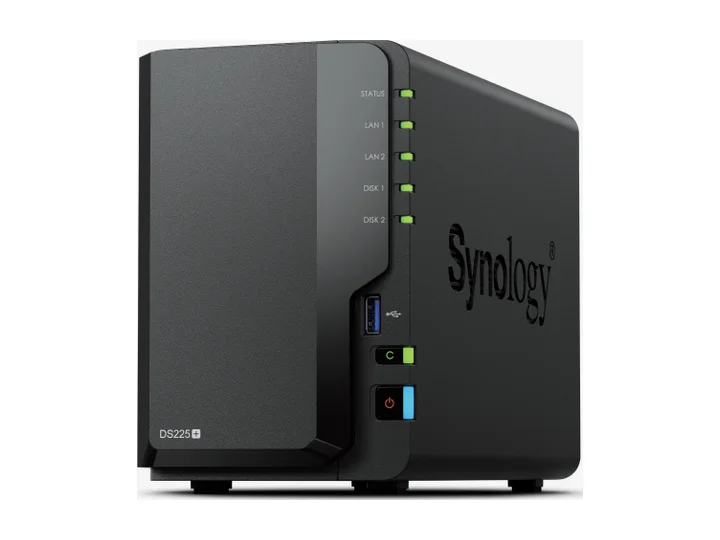
| Recommended NAS | DS225+ (2 Bays · 1 × 2.5GbE + 1 × 1GbE) | Intel Celeron J4125 · 4-core · 2GB RAM |
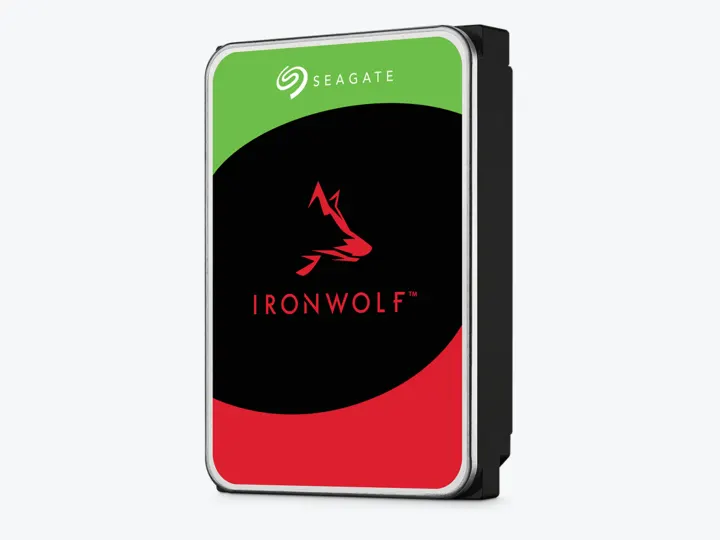
| Selected Hard Drives | 2 × 4TB (ST4000VN006) | CMR CMR · 5,400 rpm |
| Planning Capacity | 4TB usable | The mirror can continue after one drive fails; keep a second copy of originals outside the NAS. |
| Historical price estimate | DS225+ + 2 × ST4000VN006: $744.97 estimated total | $186.24 / usable TB |
Who this build is for
- Phone photos, family videos, and a modest camera archive
- Buyers who want a polished mobile app and shared albums
- Libraries that fit comfortably below 4TB after growth and free-space reserve
Why this NAS and tier win
Synology Photos provides folder and timeline views, mobile backup, shared space, albums that do not duplicate originals, and recognition on supported models. The DS225+ adds 2.5GbE and an Intel platform while keeping DSM approachable. [1][2]
Android Central calls DSM the most refined NAS software and recommends DS225+ as a solid home NAS, while still criticizing the 2GB base memory and conservative hardware. That balance is appropriate for entry photo management: software usability wins, but indexing expectations stay modest. [3][4]
Why these exact drives
Two 4TB IronWolf drives create a 4TB CMR mirror. Lower capacity and two spindles reduce cost and acoustic burden compared with a four- or six-drive creator array. [5][6]
The mirror is an availability layer. Mobile backup can remove photos from a phone only after a second independent copy exists and a restore has been tested. [7][8]
Capacity and protection plan
2 equal 4TB drives with 1 drive-equivalent reserved for redundancy produce an editorial planning estimate of 4TB decimal usable before formatting, filesystem metadata, snapshots, applications, and free-space reserve.
The mirror can continue after one drive fails; keep a second copy of originals outside the NAS. Reconfirm the RAID/SHR/RAIDZ behavior for the exact operating system and chosen disk layout before initialization.
What YouTube and community evidence change
Photography communities rarely treat the NAS as the working copy, archive, and off-site backup all at once. A common pattern is local SSD for active work, NAS for organized storage, and removable/off-site media for disaster recovery. [8]
The exact-model video evidence is smaller than the broad DSM consensus, so this recommendation is intentionally framed around family workflow rather than a claim that DS225+ is the fastest photo indexer. [4][3]
Trade-offs before buying
Recommended setup sequence
- 1Consolidate originals into a clear year/project folder structure before import.
- 2Enable mobile backup but keep phone/cloud copies until the NAS backup is verified.
- 3Create a mirrored Btrfs volume and snapshot the photo share.
- 4Back up originals, sidecars, and catalog files to an external or off-site target.
- 5Test RAW formats, HEVC playback, sharing links, and a representative restore.
Alternatives worth considering
Frequently asked questions
Can Synology Photos fully replace Google Photos or Apple iCloud?
It handles automated phone backup, timeline/folder browsing, shared albums, facial recognition, and subject tagging without recurring subscription fees. However, cloud AI search and cellular upload reliability may differ based on your home internet upload speeds.
Where should my active Lightroom catalog and previews live?
Always keep your active .lrcat catalog and preview caches on your computer’s internal fast NVMe SSD. Store only the high-resolution RAW original files on the NAS share to avoid latency lag during photo edits.
Is 2.5GbE networking necessary for photo editing over the network?
For standard RAW previews and mobile backups, 1GbE is functional, but 2.5GbE provides speeds up to ~280 MB/s, making multi-gigabyte folder indexing and batch export transfers significantly smoother.
Is a 4TB mirror equal to 8TB of storage?
No. In a 2-bay RAID 1 / SHR mirror, identical data is written to both disks, yielding approximately 4TB decimal usable capacity.
Sources and evidence boundary
This article synthesizes official product facts, independent reviews, YouTube material, and community discussion. YouTube view/like/comment counts are a dated engagement signal, not a quality score. Community posts are anecdotal and cannot establish failure rates. Reviewers may use affiliate links; one publisher’s article and companion video count as one editorial viewpoint.
Synology · accessed Aug 31, 2026. Folder/timeline browsing, non-duplicating albums, sharing, mobile backup and recognition features on supported models.
Synology · accessed Aug 31, 2026. Two bays, Intel J4125, 2.5GbE and DSM software support.
Android Central · Aug 25, 2026 · accessed Aug 31, 2026. Calls DSM the main reason to buy, notes useful 2.5GbE, limited base memory and restored third-party SATA drive use under DSM 7.3.
BudgetBuys · Apr 2, 2026 · accessed Aug 31, 2026. Exact-model video review for home-server and backup intent.
Engagement at capture: 2,707 views; 16 likes at capture.
Seagate · accessed Aug 31, 2026. NAS-oriented CMR family; exact 4TB and 12TB MPN facts are stored in the ChooseCompute catalog.
SomeTechGuy · Jun 14, 2025 · accessed Aug 31, 2026. Measured 4TB performance, noise and power comparison across the four NAS HDD families; affiliate links are disclosed.
Engagement at capture: 54,339 views; 1,522 likes; 166 comments at capture.
Synology · accessed Aug 31, 2026. Versioned backup from a Synology NAS to local, remote and cloud destinations.
Reddit r/photography · Jan 26, 2024 · accessed Aug 31, 2026. Working SSD plus NAS archive plus independent off-site disk is a recurring creator workflow.