Quick Build & Economics Summary
| Component / Spec | Exact Model / Selection | Key Metric / Economics |
|---|---|---|
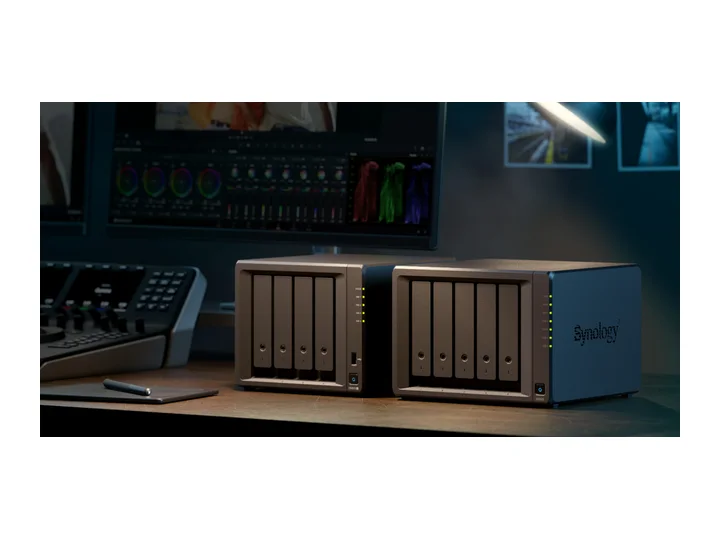
| Recommended NAS | DS925+ (4 Bays · 2 × 2.5GbE) | AMD Ryzen V1500B · 4-core · 4GB RAM |
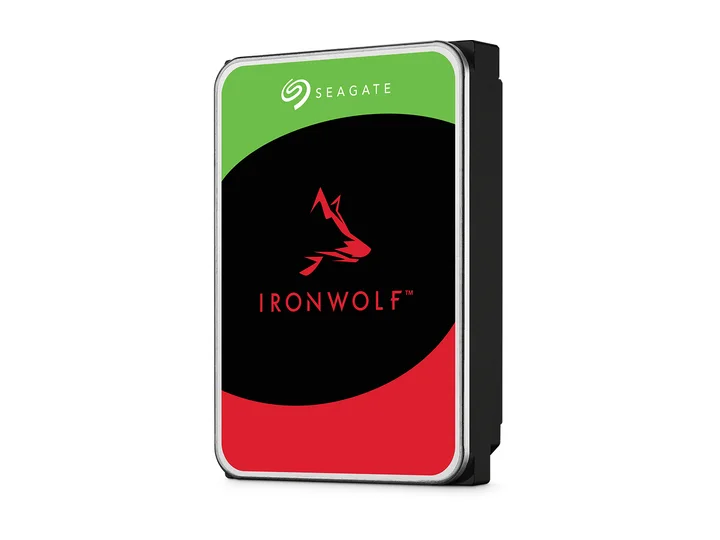
| Selected Hard Drives | 3 × 12TB (ST12000VN0008) | CMR CMR · 7,200 rpm |
| Planning Capacity | 24TB usable | The three-drive pool can continue after one drive fails and leaves one bay open; RAID is not a backup. |
| Price estimate — recheck required | DS925+ + 3 × ST12000VN0008: $1,864.96 estimated total | $77.71 / usable TB |
Who this build is for
- Several computers plus a growing family photo/video library
- Buyers who want one open bay for planned expansion
- Households prepared to run a second local or off-site backup target
Why this NAS and tier win
DS925+ is recommended here for DSM, four bays, ECC memory, dual 2.5GbE, and backup administration, not because its Ryzen V1500B is class-leading. Android Central praises the software and familiar reliability while criticizing hardware value and the original drive restriction. That criticism remains part of the decision even after DSM 7.3 restored third-party SATA pool creation. [1][2][3]
Starting with three drives avoids the common mistake of buying a four-bay NAS and immediately removing every expansion option. At equal drive sizes, three disks with one-drive redundancy provide two drive-equivalents of usable capacity. The fourth bay can later extend the pool after compatibility and backup checks. [4][5]
Why these exact drives
ST12000VN0008 is an exact 12TB CMR IronWolf model. Three drives target 24TB decimal usable, a large jump over entry without the price and acoustic footprint of an eight-bay Pro array. [6]
Third-party SATA support under DSM 7.3 is policy evidence, not an eternal compatibility promise. Check the exact DS925+ row, installed DSM release, seller, condition, firmware, and warranty at purchase. [4][3][5]
Capacity and protection plan
3 equal 12TB drives with 1 drive-equivalent reserved for redundancy produce an editorial planning estimate of 24TB decimal usable before formatting, filesystem metadata, snapshots, applications, and free-space reserve.
The three-drive pool can continue after one drive fails and leaves one bay open; RAID is not a backup. Reconfirm the RAID/SHR/RAIDZ behavior for the exact operating system and chosen disk layout before initialization.
What YouTube and community evidence change
The DS925+ review audience strongly values DSM but remains skeptical of conservative hardware and ecosystem control. The high engagement around specialist reviews is a reason to keep the policy caveat prominent rather than present Synology as an uncontested winner. [7][2]
Community drive testing after DSM 7.3 provides practical corroboration that third-party pools work, but it cannot replace the model-specific compatibility list or vendor support terms. [5]
Trade-offs before buying
Recommended setup sequence
- 1Estimate five years of backup growth and confirm that 24TB still leaves roughly 20% free.
- 2Install current DSM before creating the third-party-drive pool and capture the compatibility evidence.
- 3Create separate snapshot schedules for documents, photos, and computer-backup repositories.
- 4Use the open bay only after confirming the independent backup is current and tested.
- 5Send Hyper Backup to a separate USB disk, cloud target, or second-site NAS.
Alternatives worth considering
Lower enclosure cost, but less ECC/memory headroom and no expansion unit support.
AS5404T for stronger hardware valueAS5404TMore hardware for the money and fewer ecosystem restrictions, but a weaker cross-source consensus for easy household backup administration.
Frequently asked questions
Why use only three drives in a four-bay NAS?
Three equal drives provide one-drive redundancy and leave a bay for growth. Filling every bay immediately removes the easiest expansion path.
Can DS925+ use Seagate IronWolf drives now?
Yes. DSM 7.3 officially restored third-party SATA storage pool creation. However, vendor support terms and specific firmware requirements can vary, so rechecking the active compatibility list before purchase is still recommended.
Is 24TB the actual displayed capacity in DSM?
24TB decimal capacity equals about 21.83TiB before system partitions and filesystem overhead. Available space will be lower again after those costs and any snapshots or reserved free space. The TB-to-TiB conversion itself is a change of units, not formatting loss.
Why is DS925+ not recommended for 4K Plex transcoding?
The AMD Ryzen Embedded V1500B processor in the DS925+ lacks an integrated graphics unit (iGPU), meaning it cannot perform hardware-accelerated video transcoding via Intel Quick Sync.
Sources and evidence boundary
This article synthesizes official product facts, independent reviews, YouTube material, and community discussion. YouTube view/like/comment counts are a dated engagement signal, not a quality score. Community posts are anecdotal and cannot establish failure rates. Reviewers may use affiliate links; one publisher’s article and companion video count as one editorial viewpoint.
Synology · accessed Aug 31, 2026. Four bays, Ryzen V1500B, ECC memory, dual 2.5GbE and expansion support.
Android Central · Apr 23, 2025 · accessed Aug 31, 2026. Finds class-leading software and reliable direct-play media service, but no hardware transcoding and poor hardware value; original drive-policy criticism predates DSM 7.3.
Tom's Hardware · Oct 9, 2025 · accessed Aug 31, 2026. Documents restored third-party 3.5-inch HDD and 2.5-inch SATA SSD use while M.2 pool rules remain tighter.
Synology Knowledge Center · accessed Aug 31, 2026. DSM 7.3 policy context for third-party SATA drives; exact MPN compatibility still requires purchase-time checking.
Reddit r/synology · accessed Aug 31, 2026. User reports of third-party drive behavior after DSM 7.3, treated as anecdotal policy corroboration.
Engagement at capture: 67-point thread at research capture.
Seagate · accessed Aug 31, 2026. NAS-oriented CMR family; exact 4TB and 12TB MPN facts are stored in the ChooseCompute catalog.
NASCompares · May 2, 2025 · accessed Aug 31, 2026. Detailed model review; shares an editorial publisher with NASCompares articles and is not counted as an independent second vote.
Engagement at capture: 54,207 views; 1,293 likes; 459 comments at capture.