Quick Build & Economics Summary
| Component / Spec | Exact Model / Selection | Key Metric / Economics |
|---|---|---|
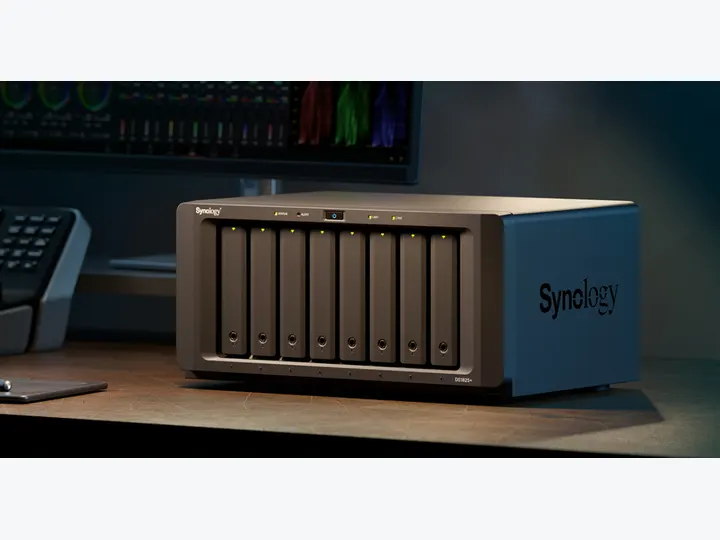
| Recommended NAS | DS1825+ (8 Bays · 2 × 2.5GbE) | AMD Ryzen V1500B · 4-core · 8GB RAM |
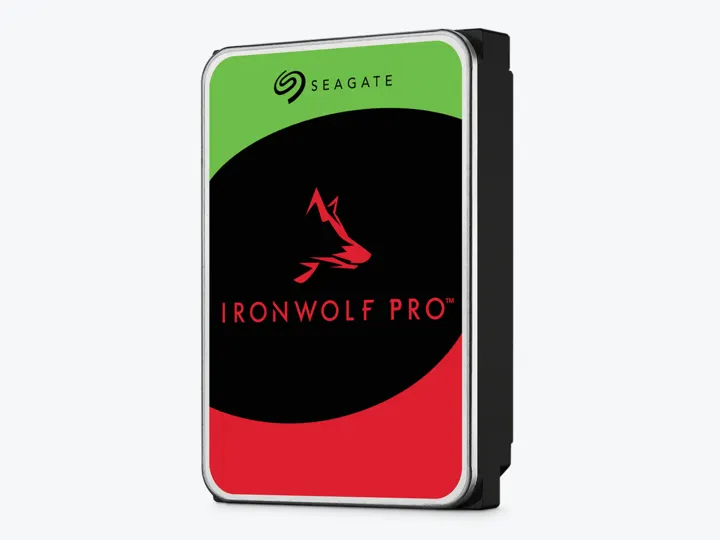
| Selected Hard Drives | 8 × 16TB (ST16000NT001) | CMR CMR · 7,200 rpm |
| Planning Capacity | 96TB usable | The eight-drive pool can continue after two drives fail; this is availability, not high availability or an off-site backup. |
| Price estimate — recheck required | DS1825+ + 8 × ST16000NT001: $6,189.91 estimated total | $64.48 / usable TB |
Who this build is for
- Large media, design, engineering, or backup repositories
- Teams with a named administrator and tested off-site disaster recovery
- Offices that can isolate an eight-drive array acoustically and thermally
Why this NAS and tier win
DS1825+ is an eight-bay ECC platform with network expansion and the same DSM tools used in lower tiers. Reviews praise capacity and ecosystem while criticizing incremental CPU/network value. For this scenario, administrative continuity and bay count are the reasons to pay. [1][2][3]
Active Backup and Hyper Backup can centralize endpoint/workload protection and send versioned copies elsewhere. They do not turn one desktop chassis into HA or disaster recovery. [4][5]
Why these exact drives
Eight exact 16TB IronWolf Pro drives provide six drive-equivalents under dual parity, or about 96TB decimal usable. Higher workload and five-year warranty positioning match the heavier office role. [6]
Eight 7200rpm drives are loud, power-hungry, and slow to rebuild at this capacity. Cooling, UPS behavior, spare strategy, and replacement workflow belong in the budget. [7]
Capacity and protection plan
8 equal 16TB drives with 2 drive-equivalents reserved for redundancy produce an editorial planning estimate of 96TB decimal usable before formatting, filesystem metadata, snapshots, applications, and free-space reserve.
The eight-drive pool can continue after two drives fail; this is availability, not high availability or an off-site backup. Reconfirm the RAID/SHR/RAIDZ behavior for the exact operating system and chosen disk layout before initialization.
What YouTube and community evidence change
Office and NAS communities consistently reject the idea that more bays remove the need for off-site backup. The larger the array, the more important documented restores and failure ownership become. [8][9]
The independent DS1825+ video frames the product for teams and creators, while specialist coverage points out hardware compromises. Together they support a capacity-first recommendation with visible limits. [3][2]
Trade-offs before buying
Recommended setup sequence
- 1Validate that the retention model genuinely requires more than the midrange 24TB plan.
- 2Use SHR-2/RAID6-style dual parity, UPS shutdown, monitoring, and spare procedures.
- 3Separate production shares, endpoint backups, snapshots, and backup repositories.
- 4Replicate encrypted copies off-site and define recovery-time objectives.
- 5Run quarterly restores and an annual full disaster-recovery exercise.
Alternatives worth considering
Frequently asked questions
Can this 96TB desktop NAS replace a full enterprise rackmount server?
For small businesses needing massive centralized file storage, high-retention PC backups, and simple DSM management without a dedicated server room, yes. However, it does not provide redundant dual power supplies or dual storage controllers.
Why are Seagate IronWolf Pro drives recommended for this 8-bay office build?
IronWolf Pro drives include built-in Rotational Vibration (RV) sensors engineered for 8+ bay enclosures, handle sustained 24/7 multi-user enterprise workloads (550TB/year rating), and include 5-year warranty coverage with data recovery services.
How long does it take to rebuild a 16TB drive in an 8-bay array?
Rebuilding a 16TB drive under active business hours can take 24 to 72 hours depending on workload and storage pool utilization. Dual parity (SHR-2/RAID6) ensures the business remains fully operational if another drive encounters bad sectors during this intensive process.
What is the recommended disaster recovery plan for an 8-bay office NAS?
Automate off-site replication using Synology Hyper Backup to an encrypted second-location NAS or cloud repository, connect the system to an enterprise UPS with auto-shutdown signaling, and execute scheduled restore rehearsals quarterly.
Sources and evidence boundary
This article synthesizes official product facts, independent reviews, YouTube material, and community discussion. YouTube view/like/comment counts are a dated engagement signal, not a quality score. Community posts are anecdotal and cannot establish failure rates. Reviewers may use affiliate links; one publisher’s article and companion video count as one editorial viewpoint.
Synology · accessed Aug 31, 2026. Eight bays, ECC memory, dual 2.5GbE and PCIe/network expansion.
NASCompares · Jul 25, 2025 · accessed Aug 31, 2026. Praises ECC and expansion while framing the platform as an incremental hardware update.
CareyHolzman · Aug 9, 2025 · accessed Aug 31, 2026. Independent long-form look at eight-bay capacity, performance and team/creator use.
Engagement at capture: 6,262 views; 181 likes; 13 comments at capture.
Synology · accessed Aug 31, 2026. Centralized endpoint and workload backup capabilities relevant to small teams.
Synology · accessed Aug 31, 2026. Versioned backup from a Synology NAS to local, remote and cloud destinations.
Seagate · accessed Aug 31, 2026. Higher-workload NAS family with five-year warranty positioning and Rescue services.
SomeTechGuy · Jun 14, 2025 · accessed Aug 31, 2026. Measured 4TB performance, noise and power comparison across the four NAS HDD families; affiliate links are disclosed.
Engagement at capture: 54,339 views; 1,522 likes; 166 comments at capture.
Reddit r/synology · accessed Aug 31, 2026. Community discussion emphasizes simple administration, permissions, off-site copies and restore planning over raw hardware.
SpaceRex · Sep 21, 2022 · accessed Aug 31, 2026. Long-form comparison of Hyper Backup, snapshots, Active Backup, USB Copy and synchronization; affiliate links are disclosed.
Engagement at capture: 197,307 views; 3,562 likes; 254 comments at capture.