Quick Build & Economics Summary
| Component / Spec | Exact Model / Selection | Key Metric / Economics |
|---|---|---|
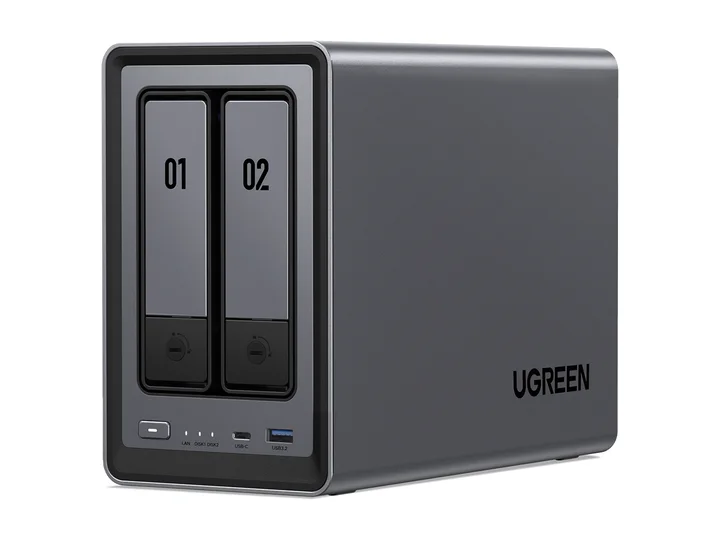
| Recommended NAS | NASync DXP2800 (2 Bays · 1 × 2.5GbE) | Intel N100 · 4-core · 8GB RAM |
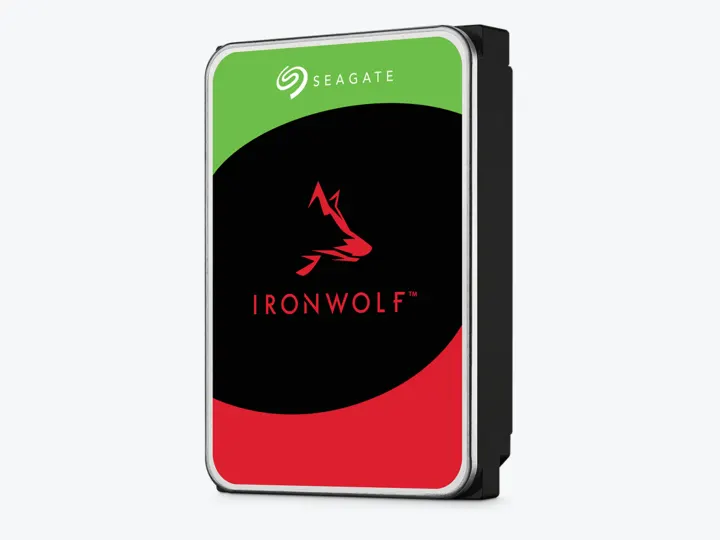
| Selected Hard Drives | 2 × 4TB (ST4000VN006) | CMR CMR · 5,400 rpm |
| Planning Capacity | 4TB usable | The mirror can continue after one drive fails; back up irreplaceable media metadata and personal files elsewhere. |
| Historical price estimate | NASync DXP2800 + 2 × ST4000VN006: $769.97 estimated total | $192.49 / usable TB |
Who this build is for
- One household with mostly Direct Play clients
- A small library that fits comfortably below 4TB
- Users comfortable with a younger NAS operating system and basic Docker administration
Why this NAS and tier win
DXP2800 pairs Intel N100 graphics with 8GB DDR5, M.2 slots, and 2.5GbE. Android Central and independent owner videos agree that the hardware is the attraction while UGOS maturity is the trade-off. [1][2][3]
Plex Direct Play sends compatible media without video re-encoding. Hardware-accelerated streaming requires Plex Pass and a supported path. That makes client compatibility more important than a promised stream count. [4][5]
Why these exact drives
Capacity and protection plan
2 equal 4TB drives with 1 drive-equivalent reserved for redundancy produce an editorial planning estimate of 4TB decimal usable before formatting, filesystem metadata, snapshots, applications, and free-space reserve.
The mirror can continue after one drive fails; back up irreplaceable media metadata and personal files elsewhere. Reconfirm the RAID/SHR/RAIDZ behavior for the exact operating system and chosen disk layout before initialization.
What YouTube and community evidence change
A non-sponsored owner video with substantial engagement uses DXP2800 for self-hosting and explicitly treats off-site backup as essential. A second two-month owner review adds a smaller but longer-duration perspective. [3][8]
UGREEN community discussion reports Plex and Home Assistant use on DXP2800, but owner reports are self-selected and do not establish a failure rate or universal codec support. [9]
Trade-offs before buying
Recommended setup sequence
- 1Inventory actual codecs, audio formats, subtitles, and client capabilities.
- 2Enable hardware acceleration only with Plex Pass and confirm “(hw)” on representative transcodes.
- 3Prefer Direct Play and optimize clients before chasing more server hardware.
- 4Back up the Plex database, configuration, and irreplaceable personal media.
- 5Watch temperatures, drive noise, and upload bandwidth during real remote playback.
Alternatives worth considering
Frequently asked questions
How many simultaneous 4K transcodes can the Intel N100 handle in Plex?
We have not benchmarked a guaranteed stream count for this build. Results depend on source bitrate and codec, HDR tone mapping, subtitles, audio, server software, and other tasks. Start with a supported hardware-acceleration setup and test the hardest files on your actual clients before depending on concurrent remote streams.
Do I need Plex Pass for hardware transcoding on the DXP2800?
Yes. Plex Pass is required to unlock GPU hardware transcoding. Without Plex Pass, the CPU must perform software transcoding, which will quickly max out the 4-core N100 during 4K playback.
Is Direct Play better than transcoding?
Prefer Direct Play when the client and network support the original file. It avoids video conversion and usually uses less server CPU, but it does not guarantee zero buffering. Peak bitrate, Wi-Fi, client compatibility, and remote upload speed still matter.
Can I upgrade the RAM on the UGREEN DXP2800?
The DXP2800 ships with 8GB DDR5 and UGREEN lists a supported maximum of 16GB. Check the current compatible module requirements before buying. Larger upgrades reported by owners should not be treated as manufacturer-supported configurations.
Sources and evidence boundary
This article synthesizes official product facts, independent reviews, YouTube material, and community discussion. YouTube view/like/comment counts are a dated engagement signal, not a quality score. Community posts are anecdotal and cannot establish failure rates. Reviewers may use affiliate links; one publisher’s article and companion video count as one editorial viewpoint.
UGREEN · accessed Aug 31, 2026. Intel N100, 8GB DDR5, two M.2 slots and 2.5GbE in a two-bay chassis.
Android Central · accessed Aug 31, 2026. Evaluates the strong two-bay Intel hardware and younger UGOS software.
Michael Smith · May 26, 2025 · accessed Aug 31, 2026. Owner-purchased, stated non-sponsored DXP2800 assessment focused on self-hosting and off-site backup.
Engagement at capture: 99,478 views; 2,094 likes; 160 comments at capture.
Plex Support · accessed Aug 31, 2026. Direct Play sends compatible media as-is; Direct Stream remuxes rather than re-encoding video.
Plex Support · accessed Aug 31, 2026. Hardware-accelerated streaming requires Plex Pass and remains codec/platform dependent.
Seagate · accessed Aug 31, 2026. NAS-oriented CMR family; exact 4TB and 12TB MPN facts are stored in the ChooseCompute catalog.
SomeTechGuy · Jun 14, 2025 · accessed Aug 31, 2026. Measured 4TB performance, noise and power comparison across the four NAS HDD families; affiliate links are disclosed.
Engagement at capture: 54,339 views; 1,522 likes; 166 comments at capture.
Tech Jamo · Sep 27, 2025 · accessed Aug 31, 2026. Two-month owner perspective; description contains affiliate links, so it is supporting sentiment rather than sole evidence.
Engagement at capture: 11,271 views; 97 likes; 17 comments at capture.
Reddit r/UgreenNASync · accessed Aug 31, 2026. Owner discussion of running Plex and home services on the two-bay Intel platform, including UGOS caveats.